
Logitech MX Brio
Elevate your streams and meetings with stunning 4K clarity, tailored for creators.
Why Creators Choose MX Brio
Creators choose the Logitech MX Brio because it’s one of the simplest upgrades that instantly makes your on-camera presence look more professional. It’s built to deliver a crisp, clean image with a fast, plug-and-play workflow—so you can stop fighting your setup and start focusing on your content. If you want a webcam that helps you look sharp for live streams, video calls, and talking-head videos while keeping your delivery confident and your workflow effortless, the MX Brio is a top-tier pick.


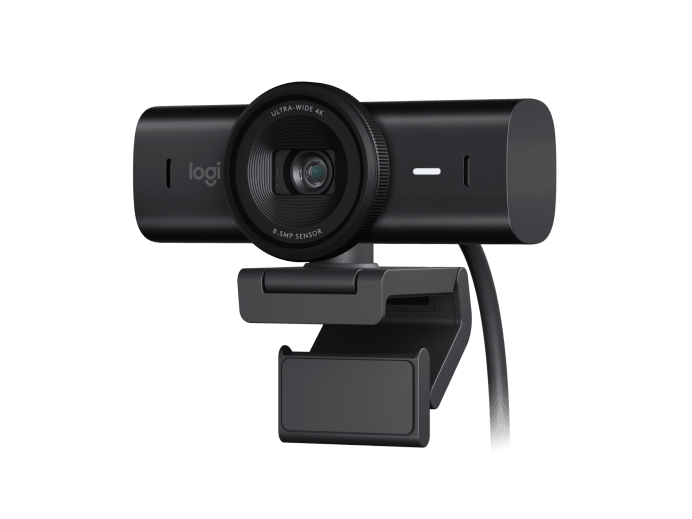
Gallery
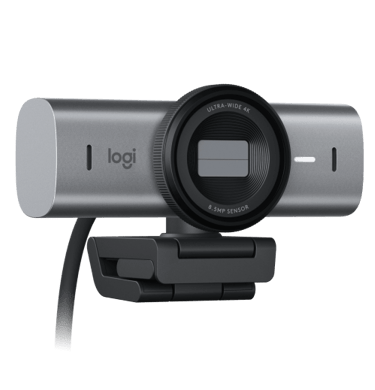
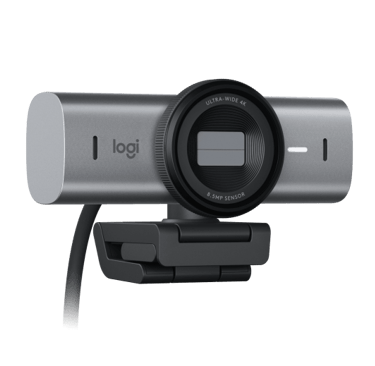
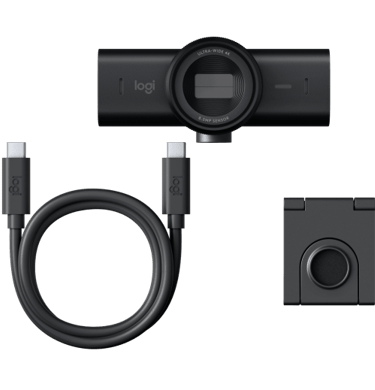
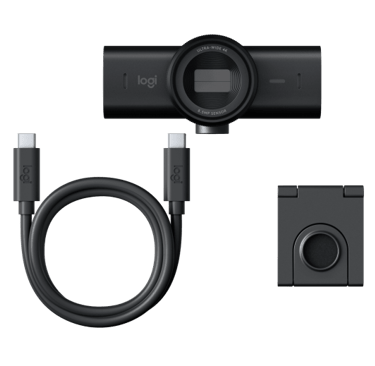
A glimpse into the MX Brio’s stunning 4K clarity and versatile angles.
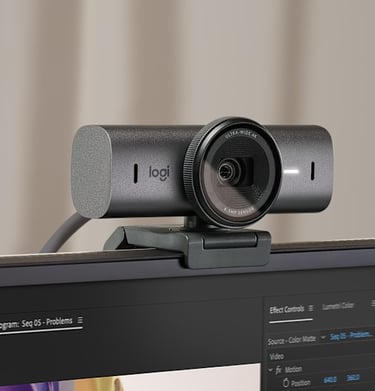
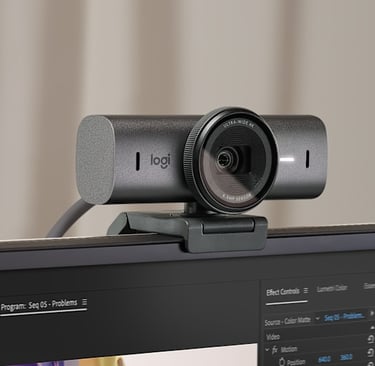
FAQ
Is it compatible?
Yes, it works with Windows, macOS, and most streaming software.
Does it support 4K?
Absolutely, it streams and records in crisp 4K Ultra HD resolution.
Can I use it in low light?
Yes, the HDR and RightLight 3 technology adjust brightness and contrast for clear video even in dim settings.
Is it easy to set up?
Setup is plug-and-play with USB connection—no extra drivers needed.
Does it have a microphone?
Yes, it includes dual omnidirectional mics for clear audio capture.
Can I adjust the field of view?
Yes, you can customize the field of view between 65°, 78°, and 90° to suit your framing needs.

4 Surprising Details I Uncovered About the Logitech MX Brio Webcam
When upgrading a piece of tech like a webcam, the process can feel routine. We look for the usual spec bumps—higher resolution, better frame rates, a wider field of view—and assume the rest is just details. But after spending some time with the Logitech MX Brio, I found that digging into those details reveals a surprising mix of clever design choices, thoughtful workflow integrations, and even some real-world user controversies. It’s more than just a simple spec bump. Here are four unexpected takeaways I uncovered.
1. Its Mount Does More Than Just Grip—It Sticks.
The standard expectation for a webcam mount is a simple plastic clip that hangs precariously on the top bezel of your monitor. The Logitech MX Brio takes a different approach. The setup guide details a unique feature called the "micro-suction pad."
This small pad is designed to create a "secure bond" with the back of your monitor. The key benefit is stability; it allows for smooth, one-handed camera adjustments, like tilting the camera up or down, without having to hold the mount in place with your other hand. According to the manual, the pad is also reusable, leaves no residue, and can be easily cleaned with water to regain its strong suction. It’s a subtle but impactful piece of design that genuinely improves the day-to-day user experience.
2. It's Designed to "Show," Not Just "Tell."
The MX Brio has a dedicated feature called "Show Mode," which is designed for the realities of modern hybrid work. The setup guide explains that this mode allows you to easily tilt the camera down to show drawings, objects, or other physical items on your desk during a video call.
To use it, you must first download and install the "Logi Tune" software. This is a direct answer to the "can you see this?" dance that's become common in hybrid meetings. Instead of awkwardly holding a notepad up to the camera, Logitech designed a hardware and software solution that makes sharing physical items a deliberate, professional feature. It's a small detail that shows they're thinking about workflow, not just video quality.
3. Its "Smart" Microphones Are a Point of Debate.
On paper, the MX Brio's audio capabilities seem impressive. The product guide highlights its "dual noise reduction microphones," and Reddit users note it's advertised with "dual beamforming mics." One user in a discussion thread even praised them as "top tier" for a built-in webcam microphone.
However, the real-world experience seems surprisingly divisive. One user on Reddit provided a detailed account of receiving feedback from coworkers that the audio quality was "not acceptable" for work meetings on platforms like Zoom and Google Meet. This initial complaint was quickly corroborated by multiple other users who replied with "Same experience," indicating a widespread issue. Compounding the issue, the Logi Tune software—used for camera settings—doesn't allow for any audio adjustments beyond simply enabling or disabling the microphone. This disconnect between the advertised specs and variable user feedback is a fascinating point of controversy.
4. The Webcam Connects to a Larger "Design for Impact" Philosophy.
Beyond the immediate features of the webcam, there's a bigger story. A Logitech report titled "Designing for Impact" specifically lists the "MX Brio 705 for Business" as a "Product Spotlight." This isn't just corporate jargon; it means the graphite-colored plastic housing of the MX Brio you're holding is likely made from recycled electronics ("Next Life Plastics"), not new petroleum. The aluminum in its chassis is sourced through low-carbon methods, its "FSC-Certified Packaging" comes from responsibly managed forests, and the "Carbon Labeling" on the box tells a transparent story about its environmental footprint. This context reveals that the MX Brio is part of a much larger, complex manufacturing and sustainability story that consumers rarely get to see.
The Logitech MX Brio is a great example of a product with hidden depths. It packs a surprisingly clever mount, a purpose-built "Show Mode," a controversial microphone, and an underlying sustainability mission all into one device. It shows that even familiar gadgets can be full of surprises—what unexpected details are hidden in the tech you use every day?
Contact
Questions or gear tips? Reach out anytime.
Phone
Joe@gearforgoinglive.com
As an Amazon Associate, Gear For Going Live earns from qualifying purchases. Some links on this site are affiliate links — we may earn a commission at no extra cost to you. © 2025 Gear For Going Live. All rights reserved.